SAP Blueprint
Generator
AI-powered architecture discovery across 80+ SAP tables. Maps business requirements to S/4HANA blueprints with interactive visualizations and TDD exports.
SAP Query
Intelligence
Natural language to SAP HANA SQL in ~5 seconds. Eliminates the 2–5 day ad-hoc reporting cycle entirely.
Business requirement.
Blueprint in seconds.
An AI-powered reference tool for SAP data architecture — built for consultants navigating S/4HANA and ECC landscapes. Describe a finance reporting need in plain language and get back an interactive table map across 80+ SAP tables, AI-generated pipeline architecture, SQL code templates, and a professional Technical Design Document PDF — ready for client handoff.
From plain-English business requirement to full S/4HANA blueprint — table mapping, architecture pipeline, solution phases, and TDD export.
- Read business requirement
- Research ACDOCA/BKPF fields manually
- Map to S/4HANA tables (2–3 days)
- Write TDD + functional spec documents
- Describe requirement in plain English
- AI maps across 80+ S/4HANA tables
- Review architecture + solution phases
- Export PDF TDD — walk into client meeting
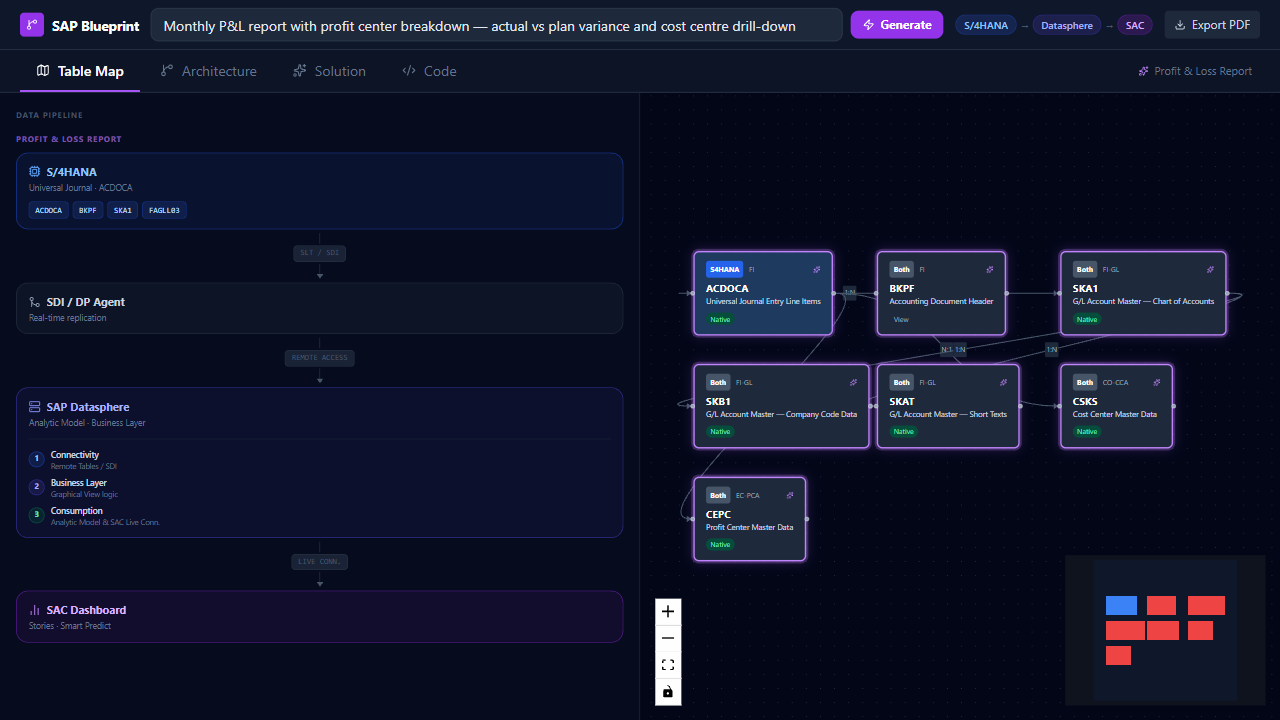
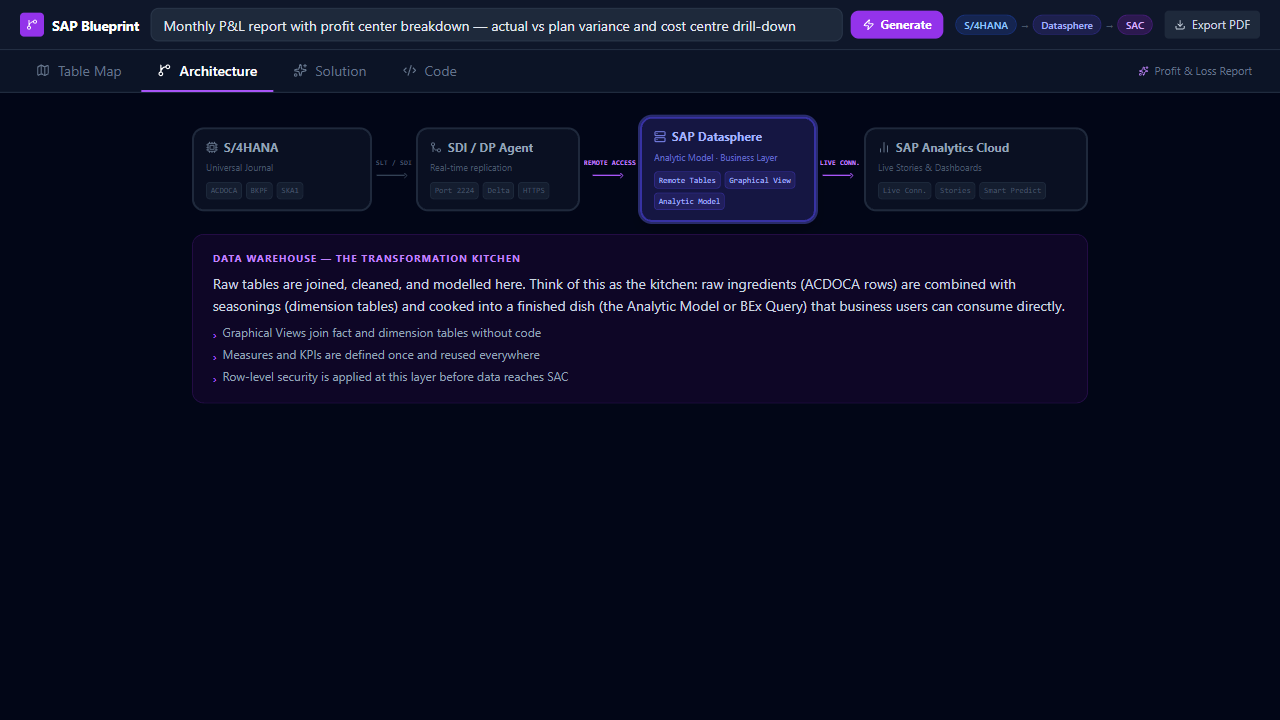
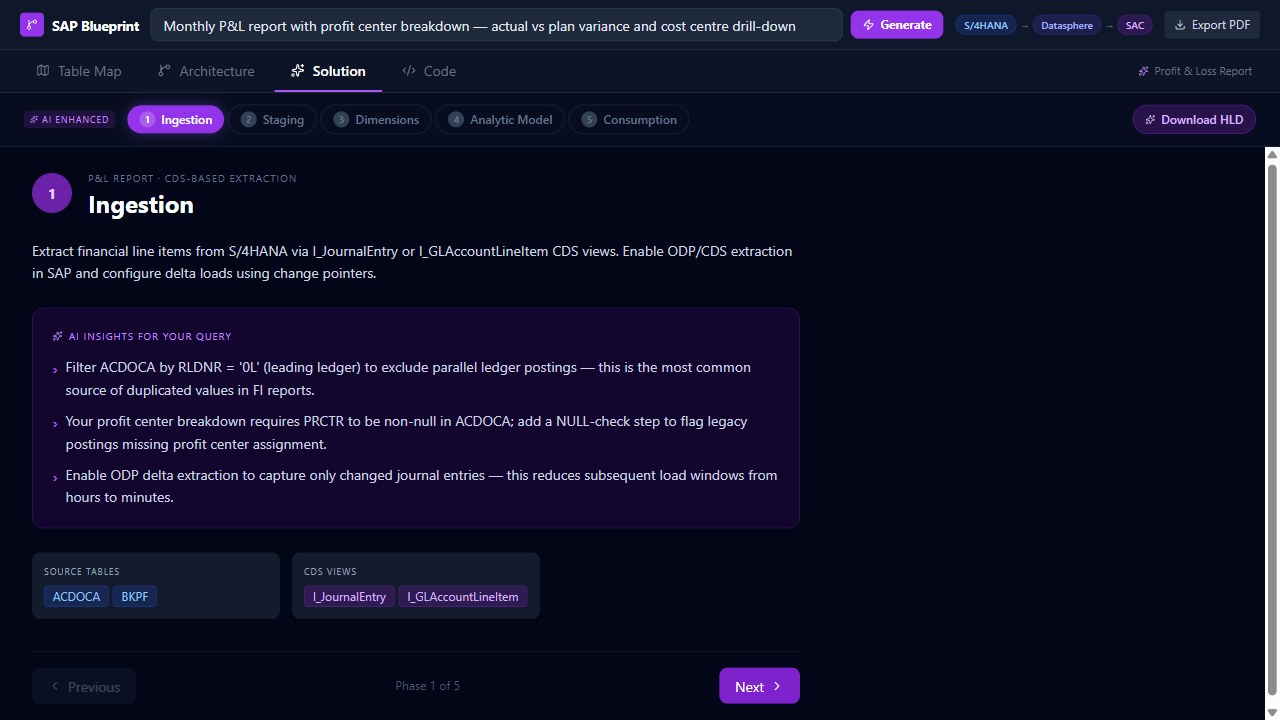
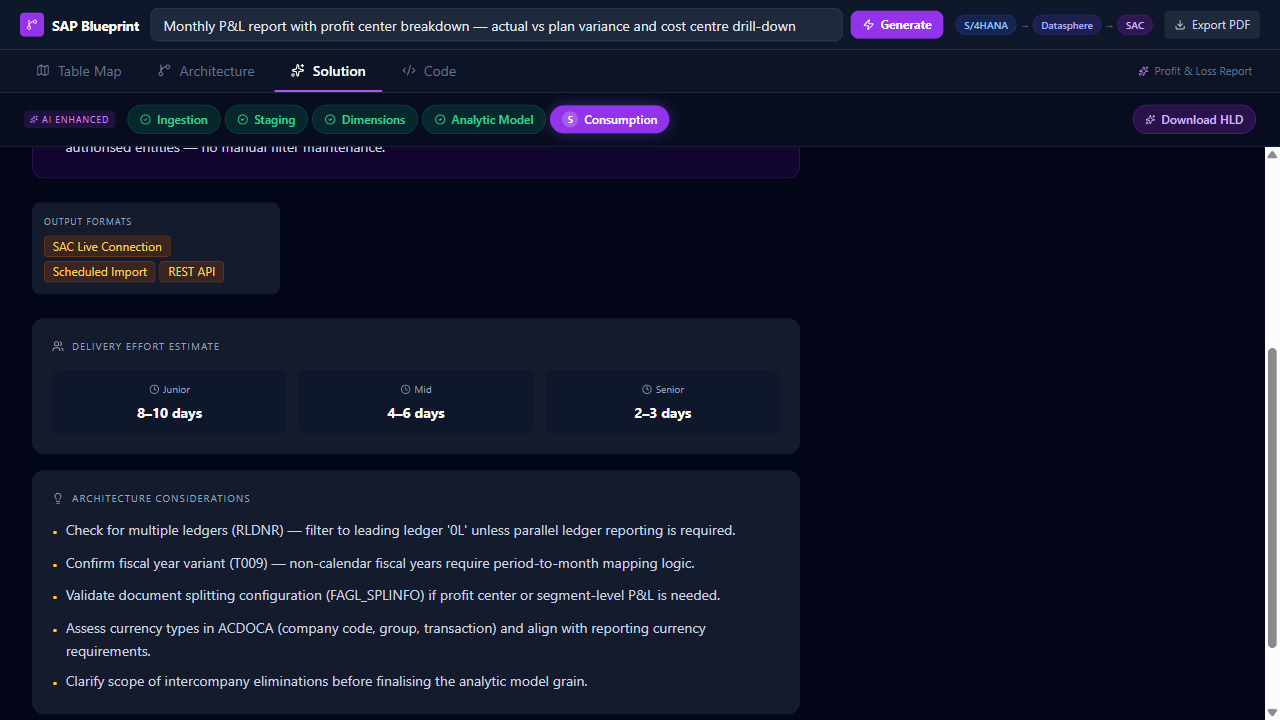
The tool doesn't force a single path. Select your SAP process — the entire architecture adapts: source tables, extraction logic, staging rules, and consumption layer.
| Module | Key Tables | Coverage |
|---|---|---|
| FI — General Ledger | ACDOCA, BKPF, BSEG, FAGLFLEXA, SKA1 | Full |
| AA — Fixed Assets | ANLA, ANLB, ANLC, ANLZ | Full |
| AP / AR | BSIK, BSAK, LFA1, KNA1, REGUH | Full |
| CO — Controlling | COEP, COSP, CSKS, CSKT, KSTAR | Full |
| CDS Views | I_JournalEntry, I_GLAccountLineItem, I_FixedAsset | Indexed |
Natural language.
HANA SQL.
Business users shouldn't need to raise a ticket every time they need data. This tool takes a plain-English question and returns validated SAP HANA SQL in about five seconds — with a plain-language explanation of what it does.
- Business user needs a report
- Raises a ticket to IT / BW team
- Developer writes SQL manually
- Review → test → revise → send back
- Type question in plain English
- AI generates SAP HANA SQL
- View results + explanation
- Copy SQL → run in HANA Studio
A four-layer stack — Consumption, Engine, Metadata, and Source Systems — with schema-aware context injection to produce validated HANA SQL.
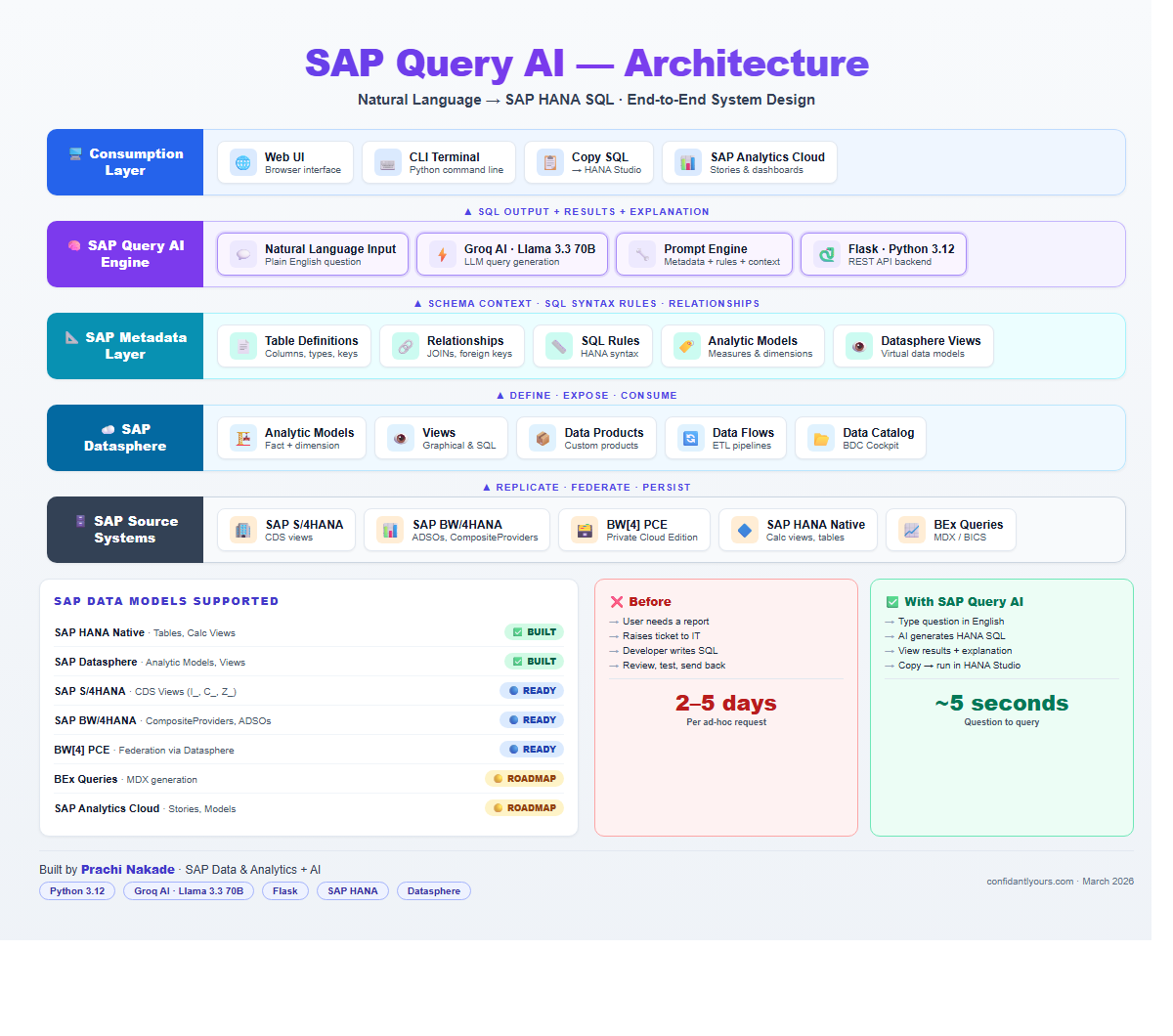
A walkthrough from plain-English question to generated HANA SQL, with live results and a plain-language explanation of the logic.
| Platform | Data Objects | Status |
|---|---|---|
| SAP HANA Native | Tables, Calc Views | Built |
| SAP Datasphere | Analytic Models, Views | Built |
| SAP S/4HANA | CDS Views (I_, C_, Z_) | Ready |
| SAP BW/4HANA | CompositeProviders, ADSOs | Ready |
| BEx Queries | MDX generation | Roadmap |
| SAP Analytics Cloud | Stories, Models | Roadmap |
Want to see
these in action?
Whether you're an SAP team looking to cut reporting overhead, a consultant exploring AI add-ons, or just curious about what's possible — I'd love to connect.